Shared space
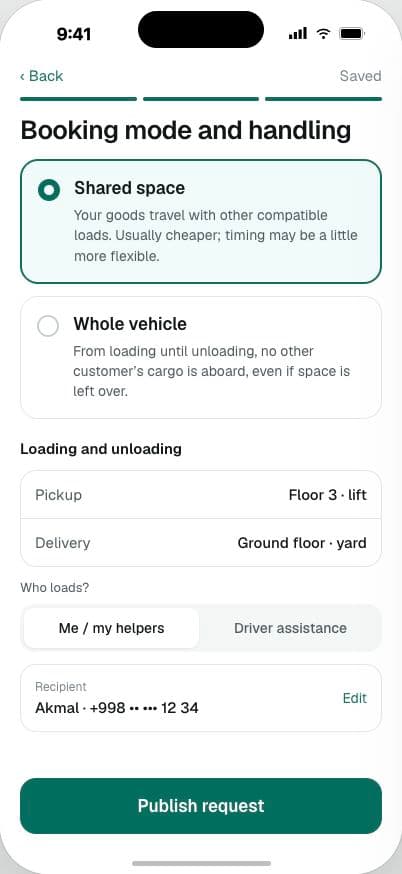
Your goods travel with other compatible loads. Weight and space are checked on every leg of the route.
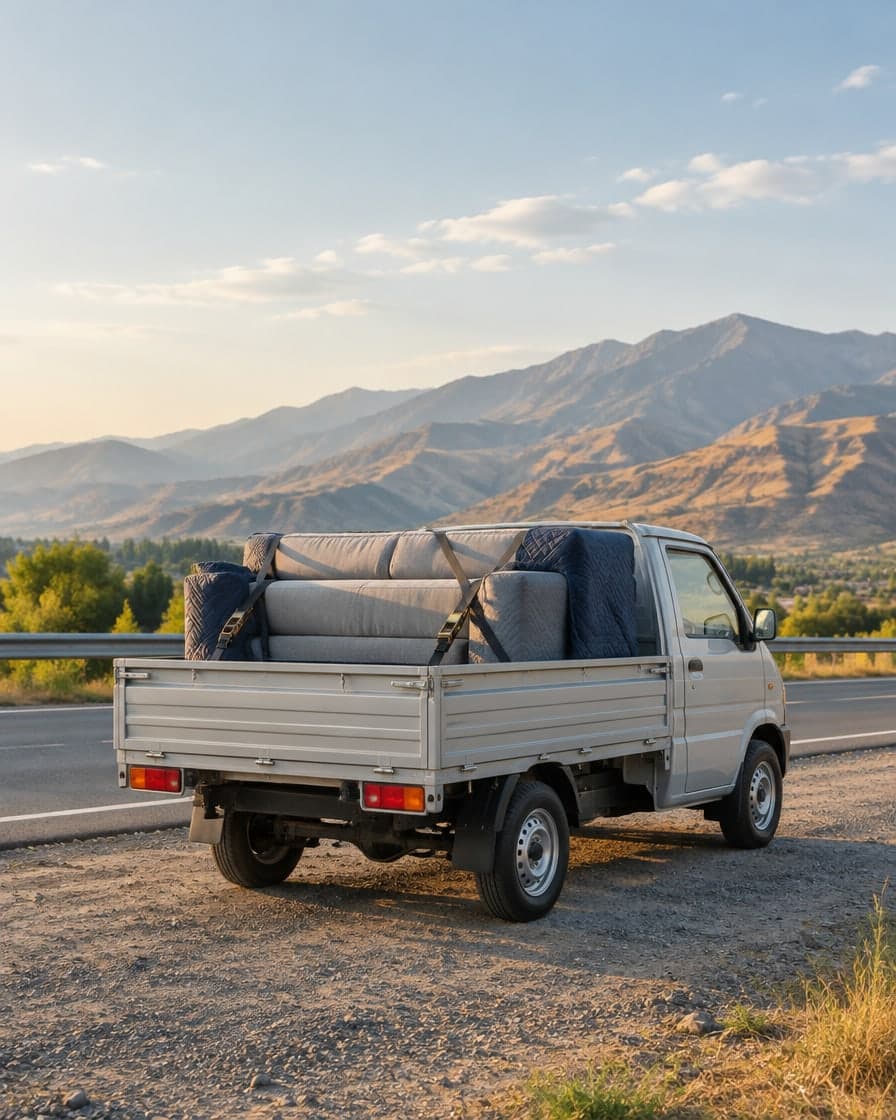
Example: 4 boxes of tiles and a sofa in one Isuzu
For senders
Describe the goods in about three minutes, compare offers from verified drivers and hand over with a code. One total price, agreed before pickup.
What you can send
During the pilot we carry ordinary bulky goods. Loads that need special handling are added only after separate rules are approved.
How sending works
Route, a photo, rough sizes and when it’s ready. Drafts save as you go.
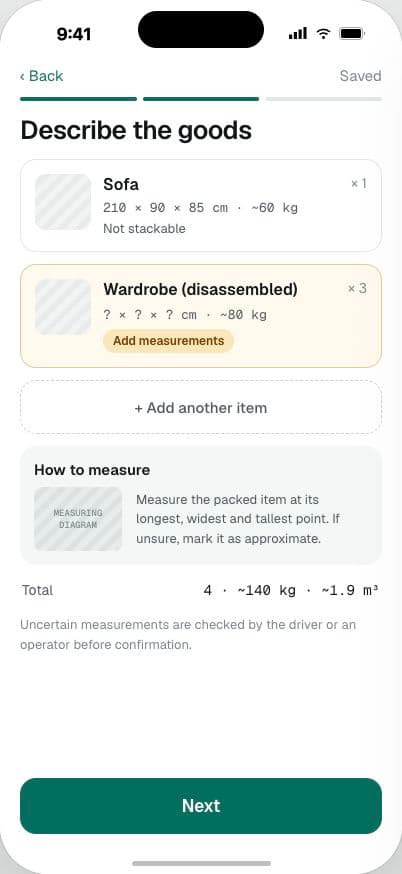
Plain explanations, no jargon. Add floors, lift and who loads.
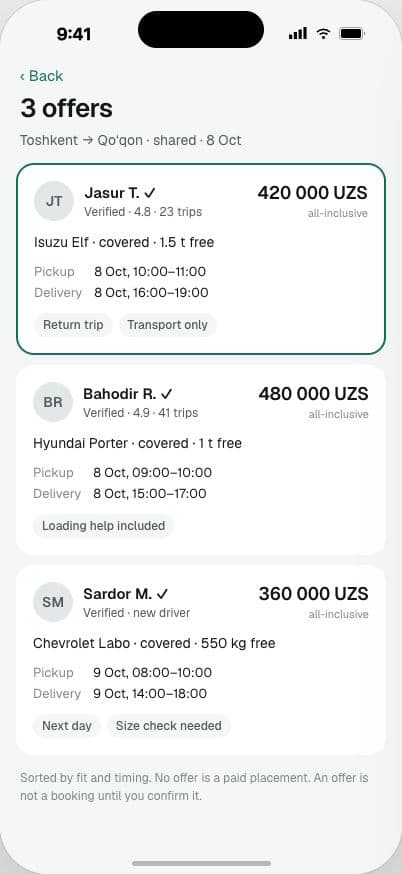
Verified vehicle, timing, what’s included and one all-inclusive price.
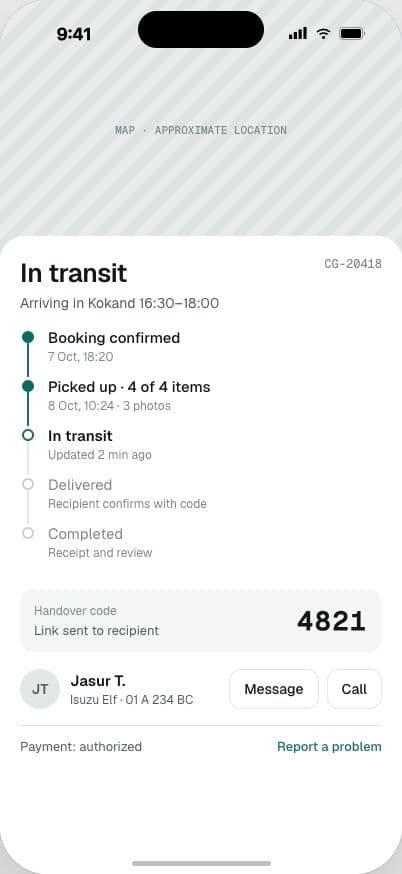
Count and condition are recorded at pickup; the recipient confirms on arrival.
Booking mode
Your goods travel with other compatible loads. Weight and space are checked on every leg of the route.
Example: 4 boxes of tiles and a sofa in one Isuzu
Before you confirm
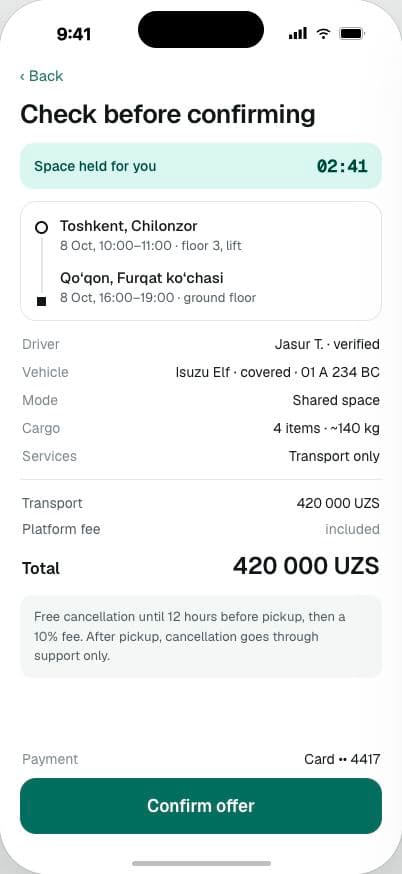
When you confirm, the app rechecks the goods, timing, vehicle and space. The space is held for you briefly; if anything changed, you’re asked to approve again.
Free cancellation until 12 hours before pickup, then a 10% fee. After pickup, cancellation goes through support only.
Example. Prices, payment and cancellation terms are confirmed before launch.
For the recipient
The recipient gets a link with the arrival window, unloading details and item count. On arrival they check the count and condition, then confirm — or report a problem before confirming.
Ordinary bulky household goods and properly packaged materials: furniture, appliances, boxes, building materials. Refrigerated goods, animals and dangerous goods are not accepted yet.
Measure the packed goods’ length, width and height. If unsure, mark the measurements as approximate and add a photo. Uncertain measurements are checked by the driver or an operator before booking confirmation.
Before pickup, you can cancel under the cancellation terms you accepted. Payment and refund status are shown separately. After pickup, contact support to agree a safe handover or recovery plan for the goods.
The app is coming to the App Store and Google Play. Posting cargo will take about three minutes.
Not in the stores yet.